-
Shop
- Advanced Technologies
- Beauty
- Best-Sellers
- Car Accessories
- Dating & Social Skills
- Digital Resources
- AI & Technology
- AI Skills
- Car Buying & Ownership
- Cozy Feast Collection
- Electronics & Technology
- Emotional Intelligence
- Financial Education
- Hobbies
- Home Styling & Organization
- Kitchen & Recipes
- Mindfulness
- Mindset
- Online Business
- Parenting & Child Development
- Pet Lifestyle & Wellness
- Positive Thinking
- Productivity
- Self Confidence
- Sleep Improvement
- Smart Life with AI
- Stress Management & Relaxation
- Travel Planning
- Yoga & Fitness
- Yoga & Mind-Body Practices
- Education & Learning
- Family & Parenting
- Fashion
- Fashion Accessories
- Furniture
- Gadgets
- Health & Beauty
- Health & Wellness
- Home & Garden
- Home Supplies
- Kids & Babies
- Kitchen
- Kitchen Best-Sellers
- Lighting
- Patio, Lawn & Garden
- Personal Growth
- Personal Style & Fashion
- Pet Care
- Pet Supplies
- Pets
- Sport & Outdoors
- Super Deals
- TikTok Growth & Monetization Mastery
- Travel
- Wealth
- Wealth Building
- Budgeting & Saving
- Cryptocurrency Investing
- Debt Management
- Entrepreneurship & Business Growth
- Family Finance & Budgeting
- Financial Independence
- Financial Mindset & Psychology
- Financial Planning
- Frugal Living & Expense Hacks
- Goal Setting
- High-Income Skills
- Investing Basics
- Leadership
- Motivation
- Networking & Mentorship
- Passive Income Strategies
- Real Estate Investing
- Side Hustles
- Stock Market Investing
- Wellness
- Popular
- Best deals
AI-Boosted Skills for Work: Think, Decide, Deliver Better

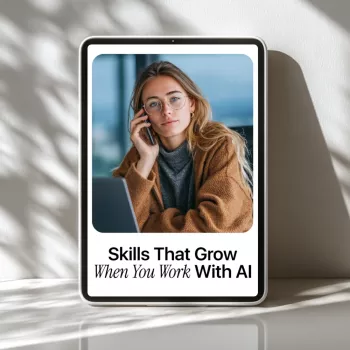
Skills That Grow When You Work with AI: a practical guide to building career-ready strengths
Working with AI isn’t just about getting faster outputs—it changes how decisions get made, how ideas get shaped, and how work gets delivered. The biggest advantage usually isn’t the tool itself; it’s the skills that quietly strengthen every time AI becomes part of your workflow: clearer thinking, better judgment, sharper communication, and more confident execution. For more guidance, see AI in the Workplace: A Systematic Review of Skill ….
Our team created Skills That Grow When You Work with AI (digital download) to help you build those durable, role-agnostic capabilities—so AI becomes a multiplier, not a dependency. If you’re measuring success by fewer re-dos, faster approvals, and cleaner decisions, this guide is built for your day-to-day reality. For further reading, see Artificial Intelligence and the Future of Teaching and ….
What “AI skills” really look like on the job
In real work settings, “AI skills” aren’t about memorizing features in one platform. AI-forward professionals build habits that travel across tools, teams, and industries: problem framing, evaluation, communication, workflow design, and ethical judgment.
A strong AI workflow separates three steps:
- Define the outcome (what “done” looks like, who it’s for, what constraints matter).
- Collaborate with AI to generate options (drafts, angles, structures, checklists, counterpoints).
- Verify and decide with accountable reasoning (fact-checking, risk review, context-based choices).
This approach aligns with where the broader workforce is heading: employers are prioritizing analytical thinking, creative thinking, and tech literacy as cross-cutting skills (see the World Economic Forum — Future of Jobs Report 2023), while organizations evaluate how AI affects productivity and job design (the OECD’s work on AI is a helpful reference point).
The core skills that grow when AI is part of your workflow
When you work with AI consistently, the most valuable growth areas tend to be human-led. Here are the capabilities we see strengthening fastest when you use AI intentionally (not passively):
- Problem framing: turning a vague request into a clear question, success criteria, constraints, and audience expectations before you draft.
- Prompt-to-plan thinking: moving from one-off asks to a sequence (outline → draft → critique → revise → finalize).
- Critical evaluation: spotting gaps, weak evidence, hallucinations, and overconfident claims—and knowing what must be verified.
- Communication clarity: writing cleaner briefs, emails, and documentation by testing tone, structure, and comprehension.
- Decision-making discipline: using AI for options, then choosing based on risk, impact, and context (not “best-sounding” language).
- Data literacy basics: asking for assumptions, inputs, and limits; checking whether an output is based on real data or inference.
- Process improvement: identifying repeatable tasks worth standardizing and building lightweight templates that save time weekly.
- Creative iteration: generating multiple angles quickly, then selecting the most strategic direction instead of settling on the first idea.
- Professional confidence: reducing blank-page time while keeping ownership of final decisions.
A simple “work smarter” loop to practice every week
If you want AI to translate into measurable performance, keep it grounded in the work you already have scheduled. Pick one recurring task—status updates, client emails, meeting agendas, lesson plans, product descriptions, report sections, or performance review drafts—and run the same loop each week:
- Define the outcome in one paragraph (audience, purpose, constraints, must-includes).
- Ask AI for a first pass (draft, outline, or structure).
- Request a critique against your criteria (clarity, completeness, tone, risks, assumptions).
- Revise using your judgment (verify facts, remove fluff, add context only you have).
- Save what worked as a reusable template (checklist, outline, standard sections, review questions).
Track one metric for four weeks: time saved, fewer revisions, faster approvals, improved stakeholder clarity, or reduced errors. Small, repeatable wins stack quickly.
AI-Boosted Skills Map (examples you can copy into your next task)
| Skill that grows | What you ask AI to do | Example starter | What you deliver |
|---|---|---|---|
| Problem framing | Clarify goals, constraints, stakeholders | “Ask me 10 questions to define success for this task, then summarize the brief.” | A tighter scope and fewer re-dos |
| Critical thinking | Challenge assumptions and weak logic | “List the top risks, missing info, and counterarguments in this draft.” | Stronger, more defensible work |
| Communication | Adjust tone and structure for the audience | “Rewrite for a busy executive: 5 bullets, clear ask, neutral tone.” | Clearer messages and faster replies |
| Decision making | Generate options and trade-offs | “Give 3 approaches with pros/cons, cost, risk, and when to choose each.” | Cleaner choices and rationale |
| Process improvement | Turn work into a checklist/template | “Convert this workflow into a reusable SOP and checklist.” | Repeatable quality at speed |
How to use the eBook for career growth (without adding more to your schedule)
Our goal is to help you improve the work you already do, not pile on extra tasks. Here’s a low-friction way to use Skills That Grow When You Work with AI as ongoing professional development:
If you manage people or influence team performance, pair that skill-building with a simple culture tool like The Ultimate Employee Motivation Checklist (printable PDF download) to keep execution and alignment strong while workflows evolve.
Smart boundaries: accuracy, privacy, and professional judgment
What you’ll get with “Skills That Grow When You Work with AI” (digital download)
FAQ
Is this guide useful if AI tools keep changing?
Yes. We focus on durable, tool-agnostic skills—problem framing, critical evaluation, communication, and workflow design—so you can apply what you learn across platforms as tools evolve.
Do these skills help outside of tech roles?
They do. If you do knowledge work in operations, education, marketing, HR, leadership, administration, or freelancing, these skills strengthen how you plan, communicate, and make decisions—regardless of your title.
How fast can results show up in day-to-day work?
Many people notice faster drafting and clearer direction within 1–2 weeks. With consistent weekly practice, repeatable workflows and measurable time savings often show up around weeks 4–6.















Leave a comment